Speed Up Whisper with CTranslate2
Converting Whisper with CTranslate2 so it runs faster and lighter.

Phanith LIM
Whisper transcribes well, but the Python implementation is slow and eats memory. That is a problem when the goal is Khmer transcription running on a cheap device, close to real time.
CTranslate2 fixes most of it. Here is the conversion I use on my own fine-tuned model.
What faster-whisper is
faster-whisper reimplements Whisper on top of CTranslate2, an inference engine for Transformer models. It runs up to 4x faster than openai/whisper on less memory, and 8-bit quantization buys you more on both CPU and GPU.
Step 1: Install the converter
pip install transformers
pip install ctranslate2
CTranslate2 only supports a subset of Hugging Face Transformers models, so check that yours is on the list before you go further.
Step 2: Convert the model
ct2-transformers-converter --model <model_id> --output_dir <output_path> --copy_files tokenizer_config.json --quantization <types>
--quantization int8 is where the size and speed win comes from, and the docs explain the trade-off.
For my fine-tuned model, PhanithLIM/whisper-tiny-aug-29dec:
ct2-transformers-converter --model PhanithLIM/whisper-tiny-aug-29dec --output_dir whisper-tiny-int8 --copy_files tokenizer_config.json --quantization int8
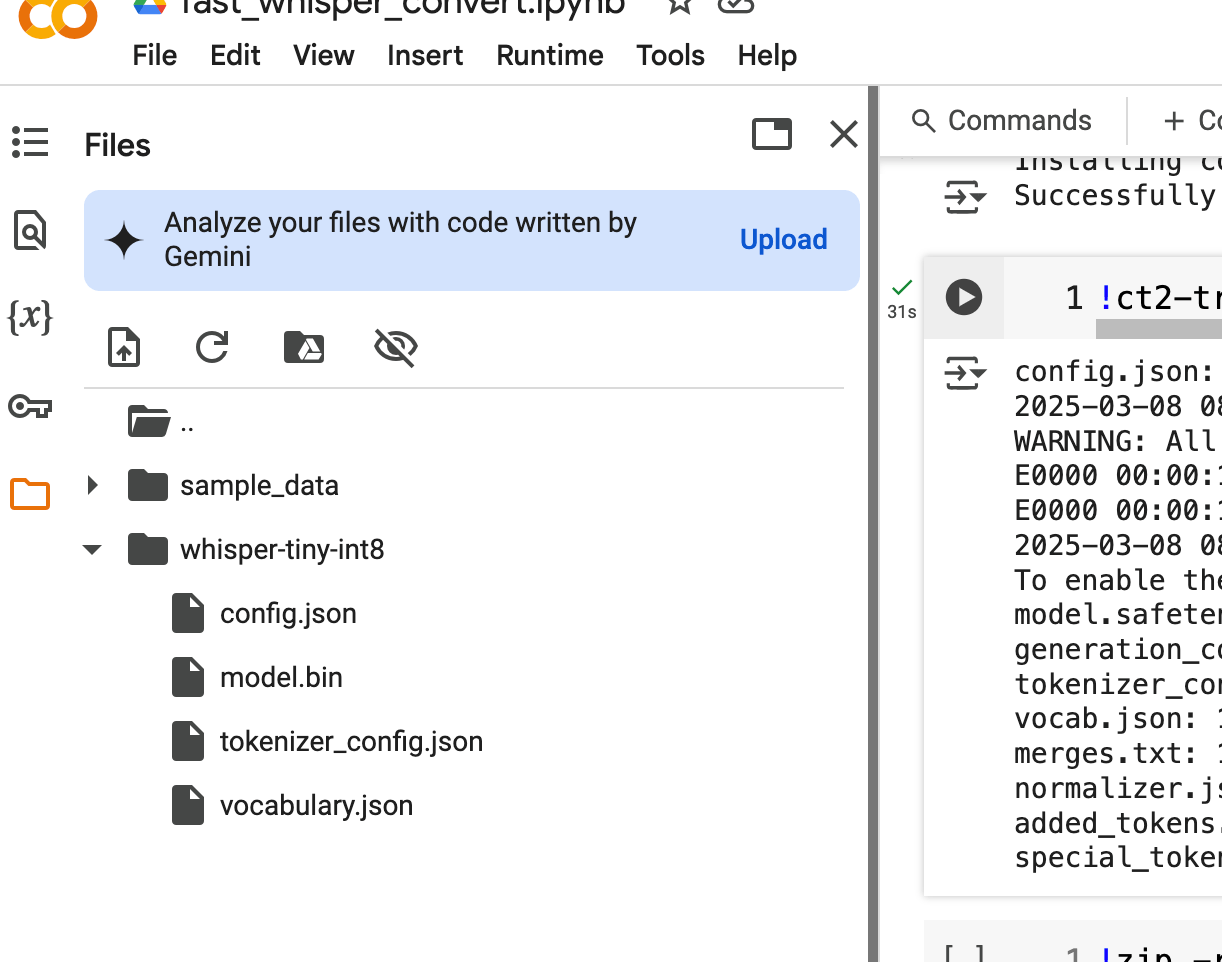
The converted model lands in the output directory:
Converted model files stored in the output directory
Step 3: Transcribe something
Install faster-whisper to run the converted model:
pip install faster-whisper
Then point it at the local directory:
from faster_whisper import WhisperModel
model_size = "/content/whisper-tiny-int8"
model = WhisperModel(model_size, device="cpu", compute_type="int8", local_files_only=True)
Local or Hugging Face
local_files_only=Trueloads from the directory on disk. If you pushed the converted model to Hugging Face instead, set it toFalse.For GPU, change
device="cuda". The difference is large.
segments, info = model.transcribe("/content/1_0.wav", beam_size=8)
print("Detected language '%s' with probability %f" % (info.language, info.language_probability))
for segment in segments:
    print("[%.2fs -> %.2fs] %s" % (segment.start, segment.end, segment.text))
On a 3 minute 2 second file this took 1 minute on CPU and 5 seconds on GPU.
The Khmer output itself is rough. That is not CTranslate2's fault: this is the tiny model trained on a small dataset, and the conversion keeps whatever accuracy you started with.
Transcription output
Detected language 'km' with probability 0.998886
[0.00s -> 30.00s]ក្រសួងសុខាភិបាលកាលពីថ្ងៃចិន្នបានធ្វើការអំពីនាលដល់បង់ប្អូនប្រជាពលរត់ទាំងឱ្យមានការប្រុមប្រយៈការពីសុខភាពពី
[30.00s -> 60.00s] ក្យមដូចជាក្រុមប្ដាសាយ ហូរសម្បរ ប្រលាក់បំពង្ករកកកន្តាស៍ ជួមមេនមេតភ្នោះមីតភ្នំពី ៦៦ឆ្នាំ ឬអ្នកមានពីរកម្ម ក
[60.00s -> 90.00s] ាពី ភាគច្រើន បានជាសាស្ប្បីឡើងវិញ គាត់ វាជាសាស្ត្របន្នស្មានថា ប្រហែល ១១២០ ទៅ ១២០ នៃភាគច្រើន គឺស្រាល ប៉ុន្ត
[90.00s -> 120.00s] ទីដែលមានមានរក បន្ទាប់មក ប៉ុន្មត្មម៉ុន ឬភ្នេះ ដ៏ល្លែងសញ្ញា នៃជំងឺនេះ រួមមាន ក៏ ក្រុងក្ដៅ ទឹងច្រម៉ុស ហូរសម្ប
[120.00s -> 150.00s] កានអាណាម៉ៃ លានសម្អាតដៃឱ្យ បានមានញាប់ជាមួយសប្បូរ ឬទឹកឱ្យកដែលប៉ះពាល់ភ្នេកច្រុមមក និងមាត់ ប្រសិម្បល់មិនពាន
[150.00s -> 180.00s] ទឹងបរិខា បុរិភោគជាមួយអ្នកដទ្រី នឹងពាក្យសុំស្លៀប ពាក់សម្លៀបសម្លៀបបំពាក្ក្នសំស្រប ដើម្បីបង្ការភាពប្រជាកព
[180.00s -> 181.82s] សប្បនេះមិត្តសេរីការអាយ។
Worth it?
Yes, if you need speech recognition on a machine without a big GPU. The conversion takes a minute and the model gets smaller and faster for it. Accuracy still comes from your training data.
print("Thank you for reading!")